Understanding TradingView's Core Features
In today's fast-paced financial markets, traders and investors require tools that offer precision, speed, and comprehensive data analysis. One of the leading platforms catering to these needs is TradingView, a robust solution that combines multi-market real-time data with professional-grade charting capabilities, alerts, and multi-device services. This platform is particularly popular among both novice traders and seasoned professionals, providing an intuitive interface and a wealth of features designed to enhance market analysis and decision-making.
What is TradingView?
TradingView is an advanced web-based platform that allows traders to analyze financial instruments through powerful charting tools and social networking features. Founded in 2011, it has grown to accommodate a wide array of markets including stocks, forex, cryptocurrencies, and commodities. The platform enables users to share insights, strategies, and analyses in a community-oriented environment, making it a go-to solution for collaboration and learning.
Key Functions of TradingView Charts
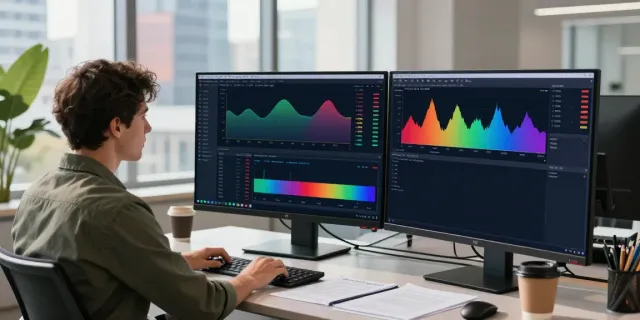
The core of TradingView's functionality lies in its advanced charting capabilities. Users can access thousands of technical indicators, support and resistance levels, and an extensive library of drawing tools to enhance their market analyses. Additionally, the platform supports multiple timeframes, allowing traders to switch fluidly between short-term and long-term perspectives. Users can also create custom indicators and overlays, providing a tailored analysis experience suited to individual trading strategies.
How TradingView Enhances Technical Analysis
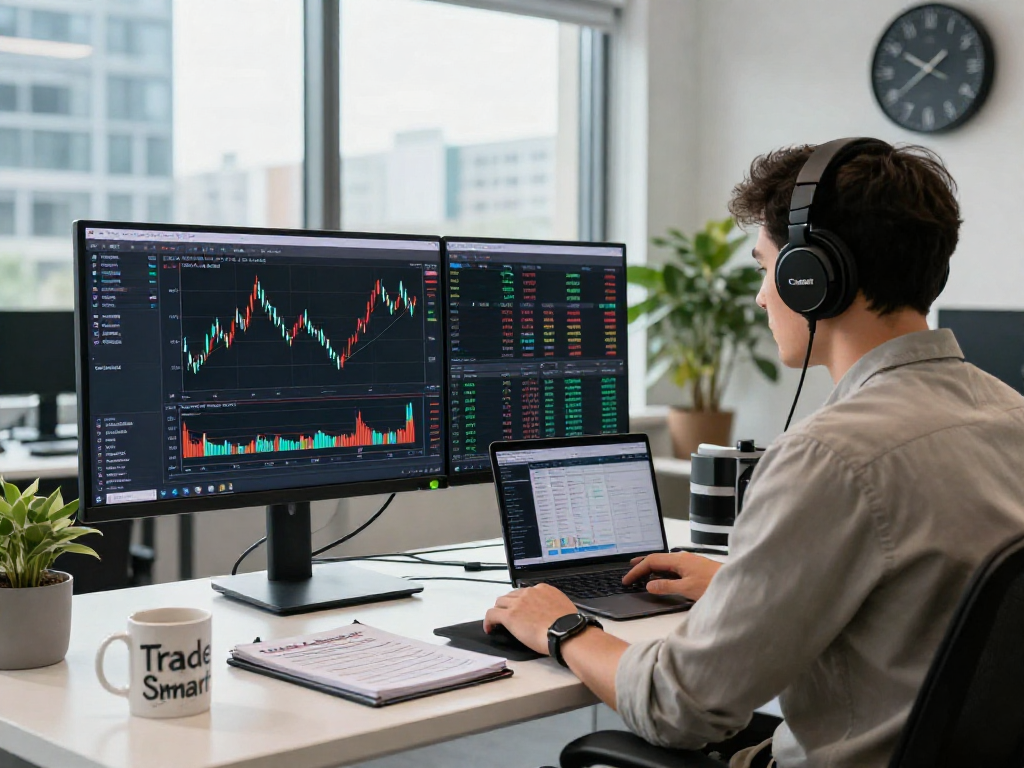
Technical analysis is greatly enhanced by TradingView's features such as its wide range of chart types, including candlestick, line, and area charts. The ability to customize charts with different indicators (like moving averages or Bollinger Bands) and to employ complex strategies using scripts (via Pine Script) sets TradingView apart from other platforms. Furthermore, real-time data and alerts enable traders to respond swiftly to market movements, making the platform especially useful during volatile trading sessions.
Utilizing Alerts and Notifications Effectively
One of the standout features of TradingView is its comprehensive alert system. This functionality allows traders to set price alerts, technical condition alerts, and more, minimizing the need for constant market monitoring. By configuring specific price points or technical indicators, traders can receive notifications via email, SMS, or through the app, ensuring they do not miss critical trading opportunities.
Setup of Price Alerts in TradingView
Setting up price alerts in TradingView is straightforward. Users can simply right-click on the chart where they want to set the alert and select the "Add Alert" option. Alerts can be configured to trigger when the price crosses a specific level or when certain conditions are met, providing flexibility in monitoring market movements without being glued to the screens all day.
Benefits of Technical Alerts for Traders
Technical alerts serve as an invaluable tool for traders who use technical analysis in their strategies. For instance, a trader might set an alert for when a stock's RSI (Relative Strength Index) enters an overbought territory, indicating a potential reversal. This shift from manual observation to automated alerts enables traders to make timely decisions backed by data, ultimately enhancing their trading effectiveness.
Strategies for Using Alerts to Maximize Trading Opportunities
To maximize the benefits of alerts, traders should combine them with a comprehensive trading plan. It's advisable to set alerts not only for price levels but also for technical indicators and news events that could impact prices. By integrating alerts into a broader strategy, traders can better navigate market changes and seize opportunities as they arise.
Cross-Device Functionality in TradingView
TradingView excels in its cross-device functionality, allowing users to access their configurations and analyses seamlessly across different devices. Whether on mobile, tablet, or desktop, the platform retains consistent functionality and layout, providing a cohesive user experience regardless of the device used.
How to Sync Across Devices
Synchronization across devices in TradingView is accomplished through cloud storage, where user settings, chart layouts, and alerts are stored online. Upon logging into your account on any device, all your personalized settings are automatically loaded, ensuring continuity in trading analysis and monitoring.
Using TradingView on Mobile vs. Desktop
The mobile application of TradingView offers a streamlined experience for on-the-go trading but may lack some of the advanced features available on the desktop version. While both interfaces provide essential functions like viewing charts and receiving alerts, the desktop version supports more extensive charting capabilities, multi-screen setups, and advanced layout configurations which are beneficial for professional traders.
The Importance of Multi-Device Trading Workflows
In an era where traders are often on the move, the ability to switch between devices can significantly enhance trading productivity. Traders can initiate trades from their desktops during market hours and monitor positions using their mobile devices while traveling. This multi-device approach facilitates quick decision-making and reduces the risk of missing profitable trading opportunities.
Pricing and Subscription Insights
Understanding the pricing structure of TradingView is crucial, as it affects user access to different features and tools. TradingView offers several subscription tiers, from a free plan with basic functionalities to premium plans that provide advanced features such as enhanced data feeds and exclusive indicators.
Understanding TradingView's Free and Paid Plans
The free plan of TradingView allows users to access fundamental features like trading charts and basic alerts. However, to unlock more advanced capabilities, users can choose from paid plans, which are structured to accommodate different levels of trading expertise and needs.
What Features Are Included in Each Tier?
Paid plans typically include additional features such as more indicators per chart, faster data refresh rates, and access to premium content. The Pro and Pro+ plans offer extensive backtesting capabilities and the ability to create more charts simultaneously, which are invaluable for serious traders looking to analyze multiple markets concurrently.
Evaluating Cost vs. Benefits of Subscription Levels
When evaluating subscription options, traders should consider their trading volume, the markets they invest in, and the necessity for advanced features. For frequent traders or those managing large portfolios, investing in higher-tier plans may yield significant returns, while casual traders might find the free or basic plans sufficient.
FAQs About TradingView
What trading markets does TradingView support?
TradingView supports a diverse range of markets, including stocks, forex, cryptocurrencies, commodities, and indices. This versatility makes it a preferred choice for traders interested in multiple financial instruments.
Is TradingView suitable for beginners?
Absolutely! TradingView's user-friendly interface, extensive educational resources, and community support make it an excellent platform for beginners. New traders can easily familiarize themselves with charting tools and technical analysis concepts.
What are the advantages of the desktop version of TradingView?
The desktop version of TradingView offers enhanced functionalities such as multi-screen support and advanced charting options. It is particularly suitable for active traders who need to monitor multiple charts and instruments simultaneously.
Can I use TradingView for automated trading?
While TradingView primarily excels in chart analysis and alerting, it integrates with several brokerage platforms that support automated trading. Users can execute trades based on alerts and signals generated within the TradingView environment.
How does TradingView compare with other trading platforms?
TradingView stands out due to its community-driven features, extensive indicator library, and user-friendly interface. Many competitors offer similar capabilities, but TradingView's unique integration of social elements sets it apart, allowing traders to share insights and strategies effortlessly.